Part A · 账户管理
源视频 f38e录屏 · Account Management · 退出登录 · 注销账户 · OTP验证
1. Privacy 隐私设置 & 退出登录
29s f38e- Settings 页面:About DiDi Finanzas / Privacy / Legal / DiDi Card Agreement / Account Management / Rate Us / Sign Out
- 点击 Sign Out 触发确认弹窗:"Are you sure you want to exit?"
- 弹窗按钮:Confirm(橙色文字)/ Cancel(灰色文字)
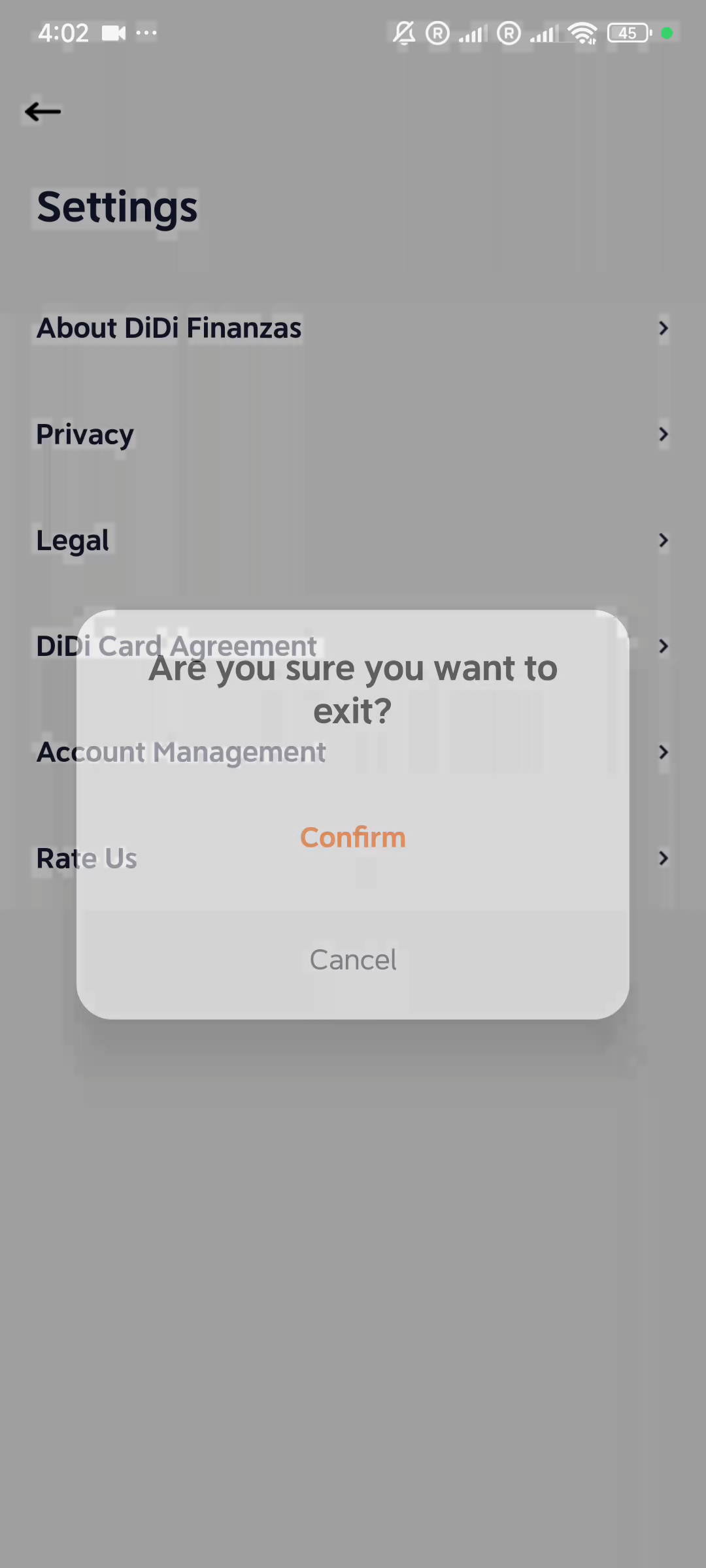
01 · 29s · Settings
2. 退出后首页 & 重新登录验证
35s - 114s f38e- 退出后进入 Home 首页(西班牙语):DiDi Préstamos 蓝色Banner(Tasa mensual: +3.5%)
- Monto máximo (MXN$) 46,800 + "Ver límite" 按钮
- 重新登录:DiDi Finanzas logo + "Hi, 553****021" + "Log in with SMS"
- 6位 OTP 验证码输入框 + "Didn't receive verification code?" 链接
- Other Options 底部Sheet → "Use Another Mobile Number"
- Get Code via Phone Call 选项:"We'll call you at 553····021 with the verification code",蓝色 "Send" 按钮
- 收到短信通知:[DiDi]Codigo de verificacion: 195343 (vence en 5 min)
- 6位OTP验证码 "195343" 已完整输入(与短信通知中的验证码一致)
- 底部蓝色按钮显示三白点 loading 动画(正在验证中)
- "Didn't receive verification code?" 蓝色链接 + "Other Options" 备选入口
- 验证成功后跳转至 Account Management
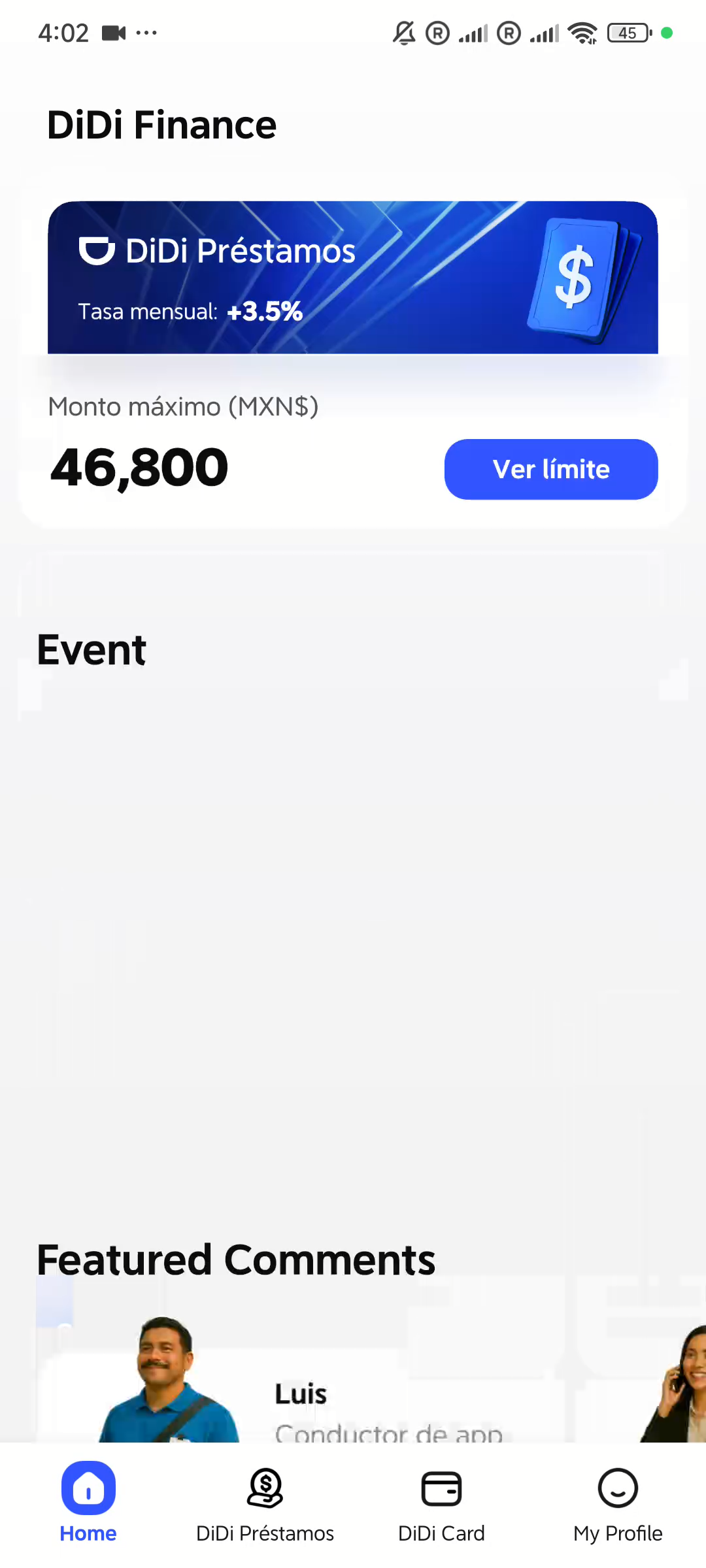
02 · 35s · Home首页
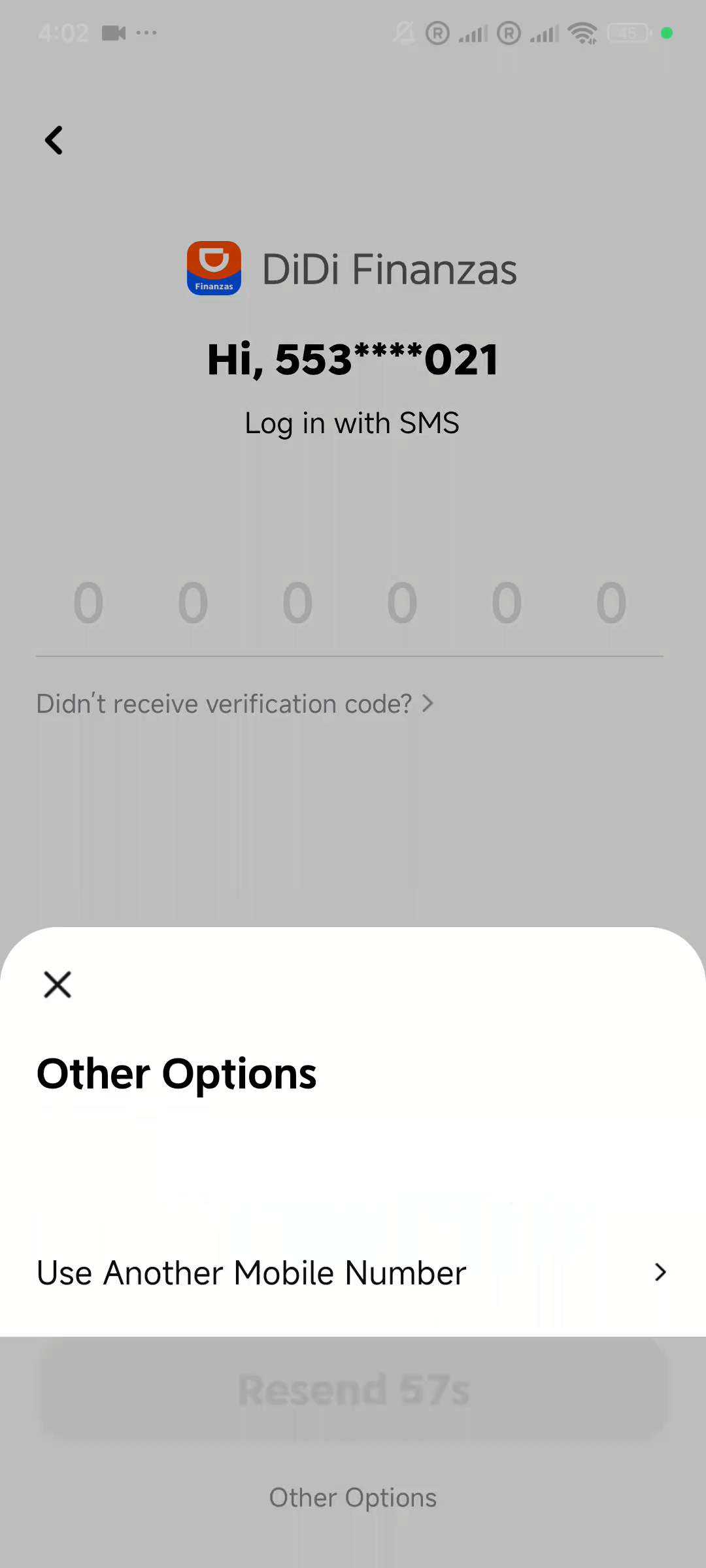
03 · 52s · Log in SMS
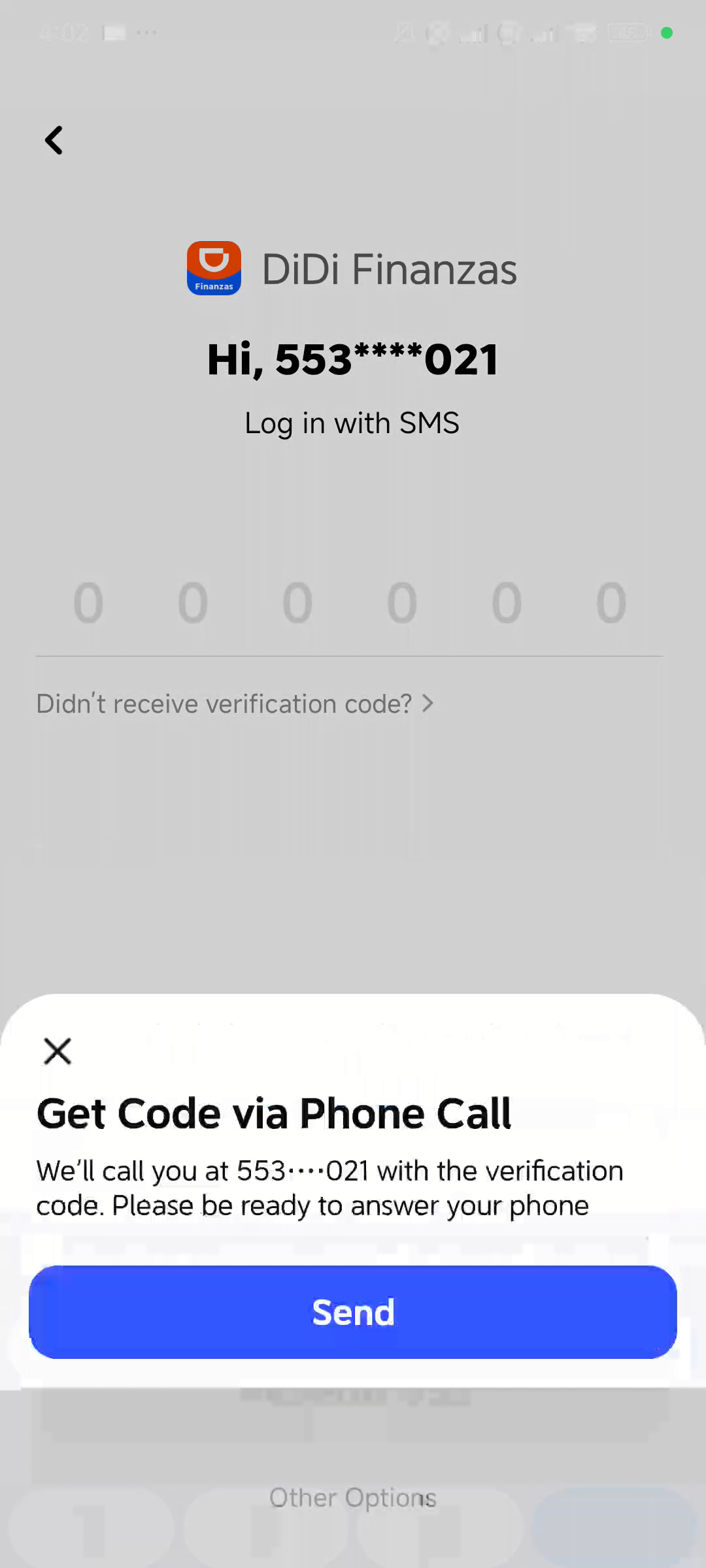
04 · 56s · Phone Call
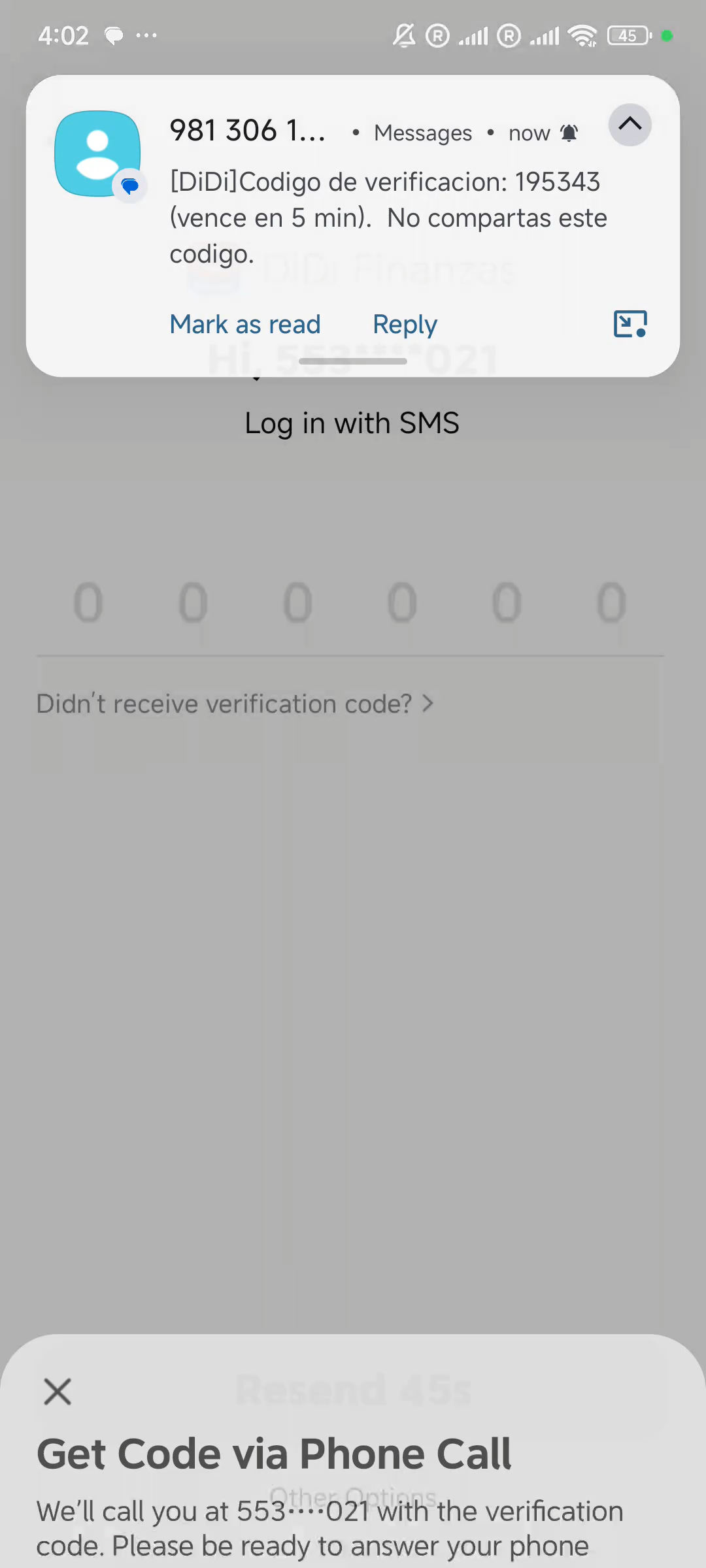
05 · 65s · SMS通知
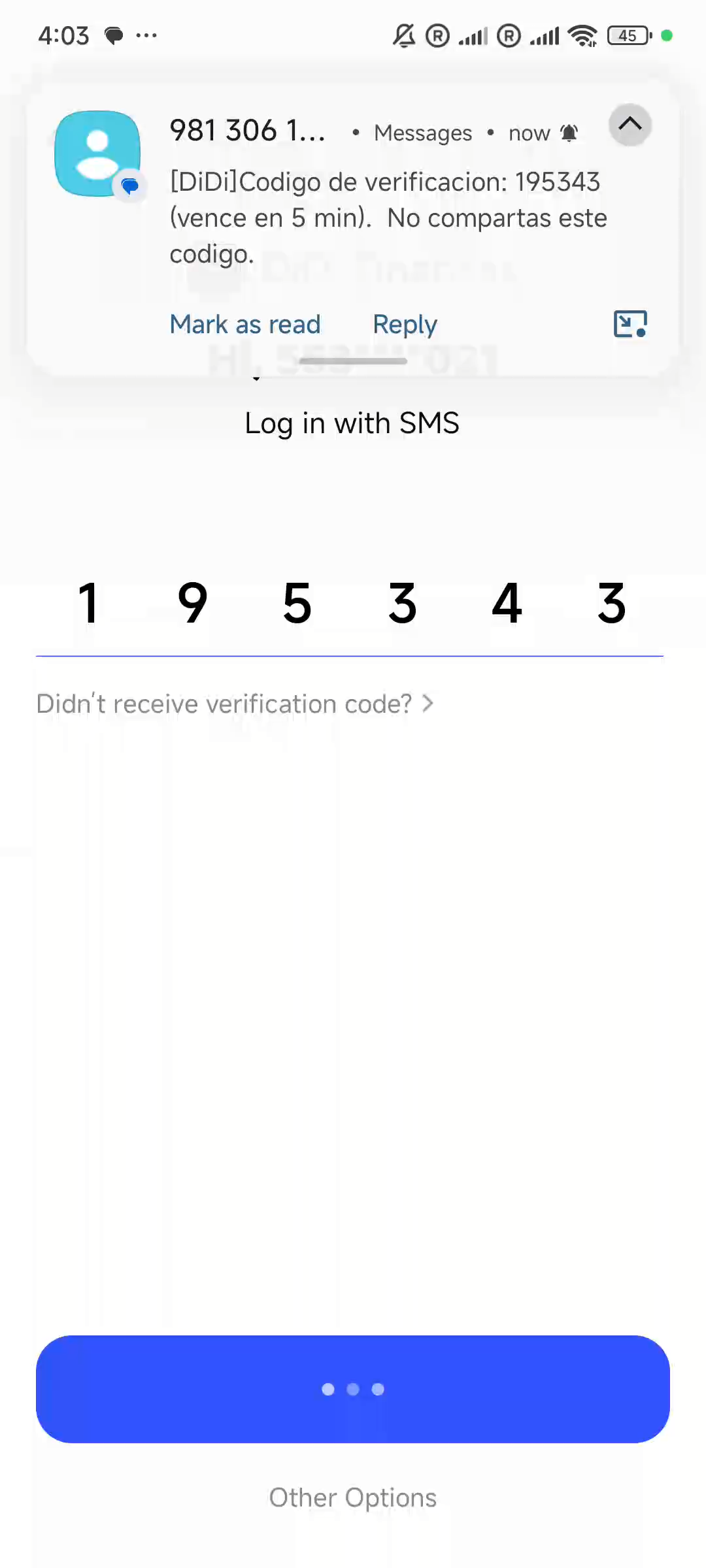
06 · 114s · OTP验证中
3. 登录生物验证
114s - 121s f38e- OTP验证成功后弹出 Touch ID 推荐页:"Login successful. We recommend enabling Touch ID login"
- DiDi Finanzas logo + 指纹图标,底部两个按钮:蓝色 "Enable" / 白色 "Not Now"
- 点击 Enable 后触发系统生物识别弹窗:DiDi Finanzas — ID Verification — "Touch the fingerprint sensor" + Cancel 按钮
- 验证通过后进入 Account Management 页面:Update Mobile Number / Delete Financial Account / Biometric Management(开关状态为关闭)
- Biometric Management 说明文字:"Use your fingerprint or face for login and verification"
- 开启 Biometric Management 需先验证:弹出 Enter Verification Code 底部Sheet,发送6位验证码到 +52*******9021,倒计时 "Resend 56s"
- 验证码验证通过后再次弹出系统指纹识别弹窗:DiDi Finanzas — ID Verification — "Touch the fingerprint sensor"
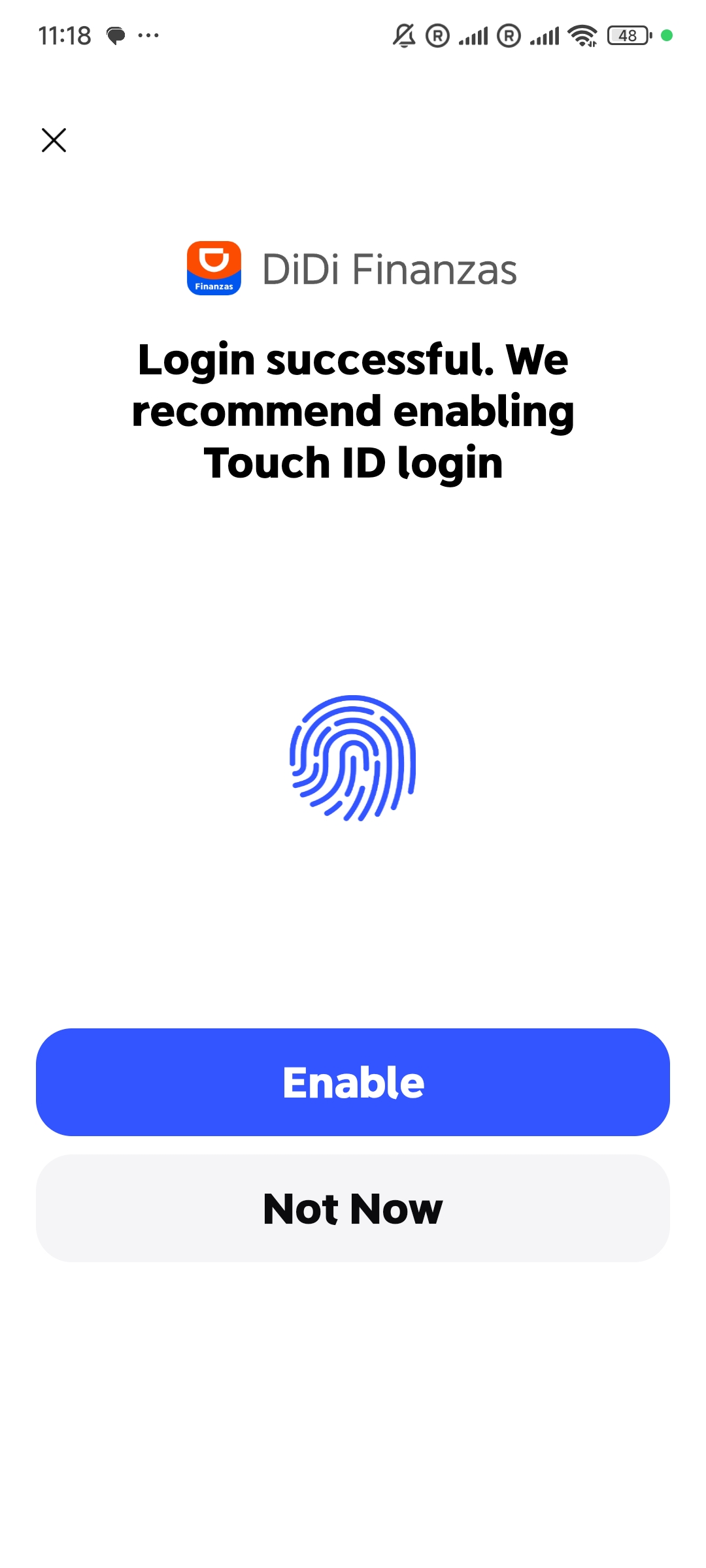
a · Touch ID推荐页
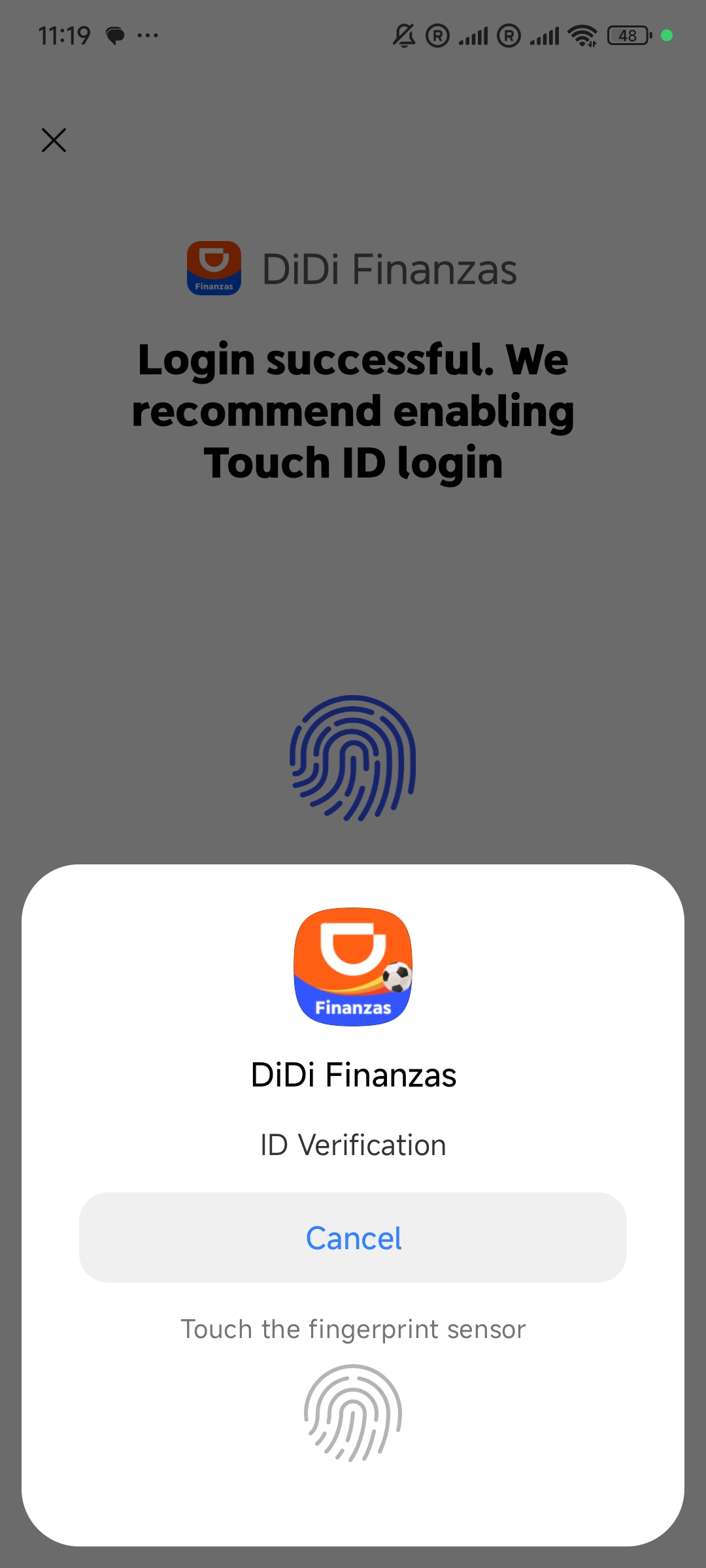
b · 系统指纹验证弹窗
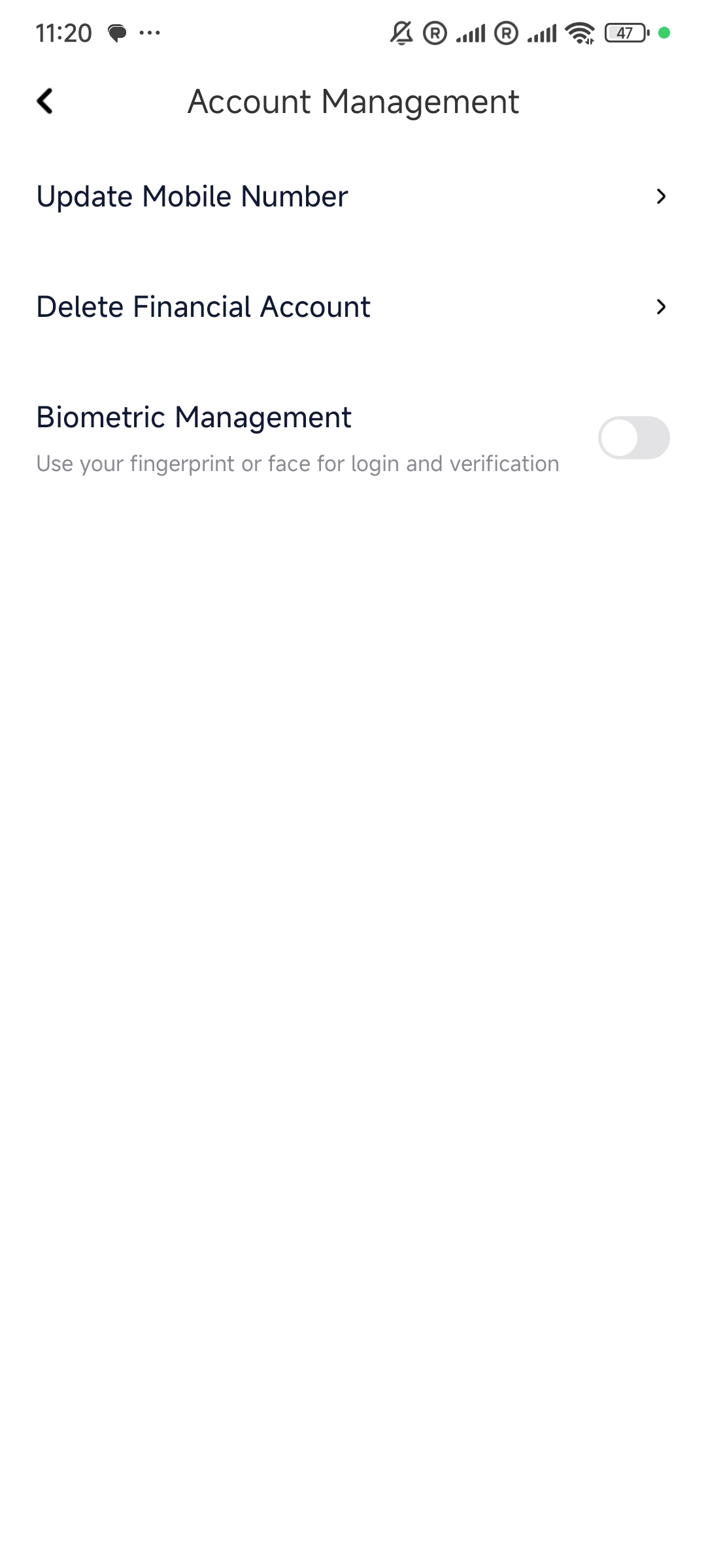
c · Account Management
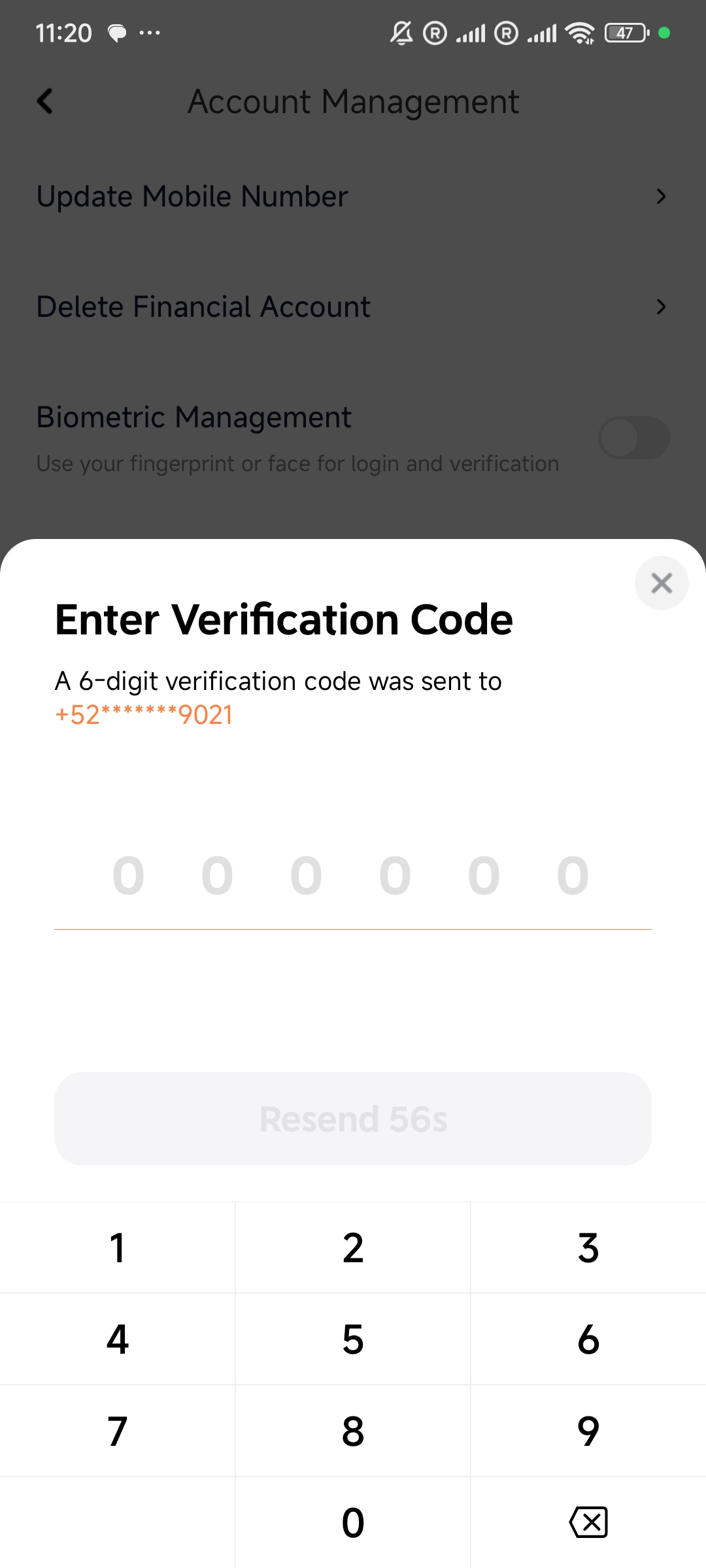
d · 开启生物识别OTP验证
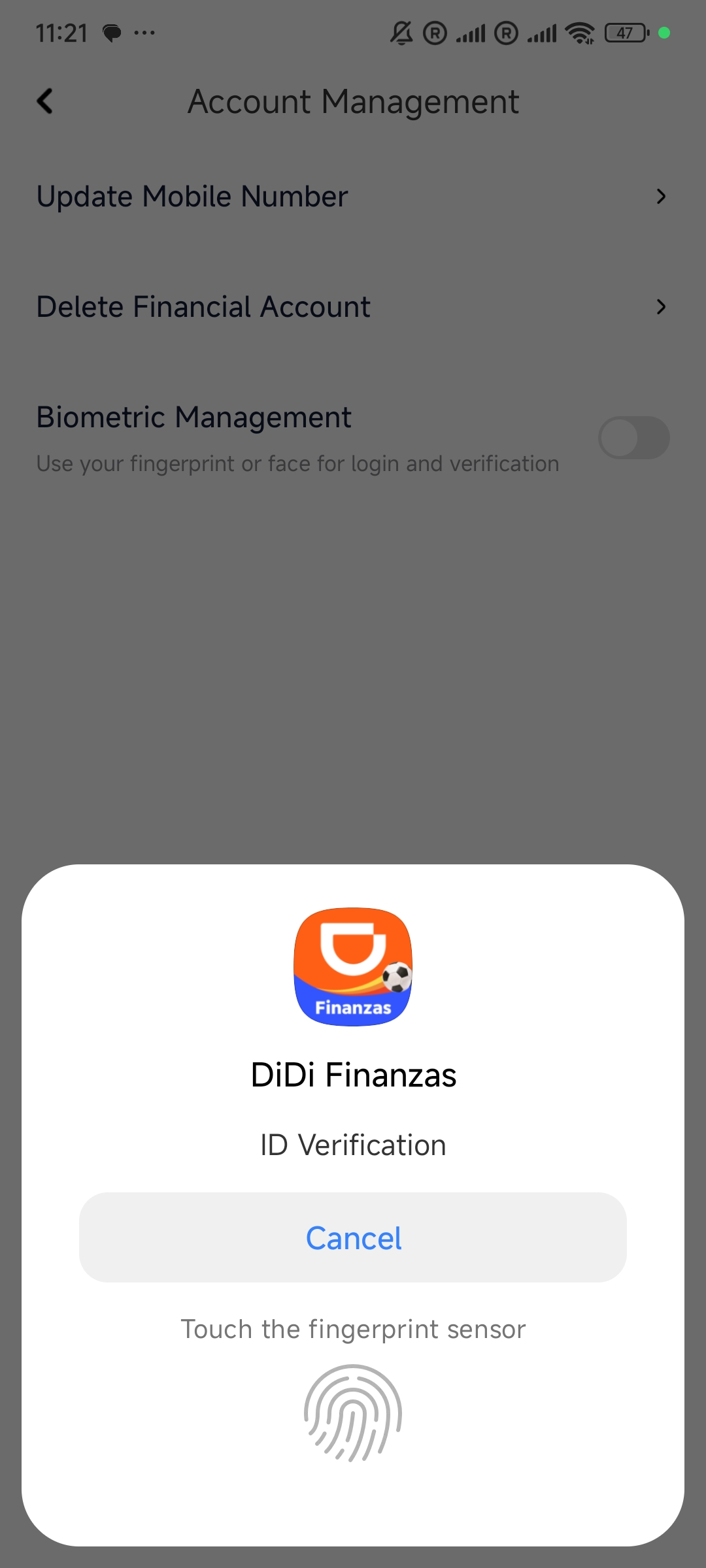
e · 再次指纹验证
4. Delete Financial Account 注销流程
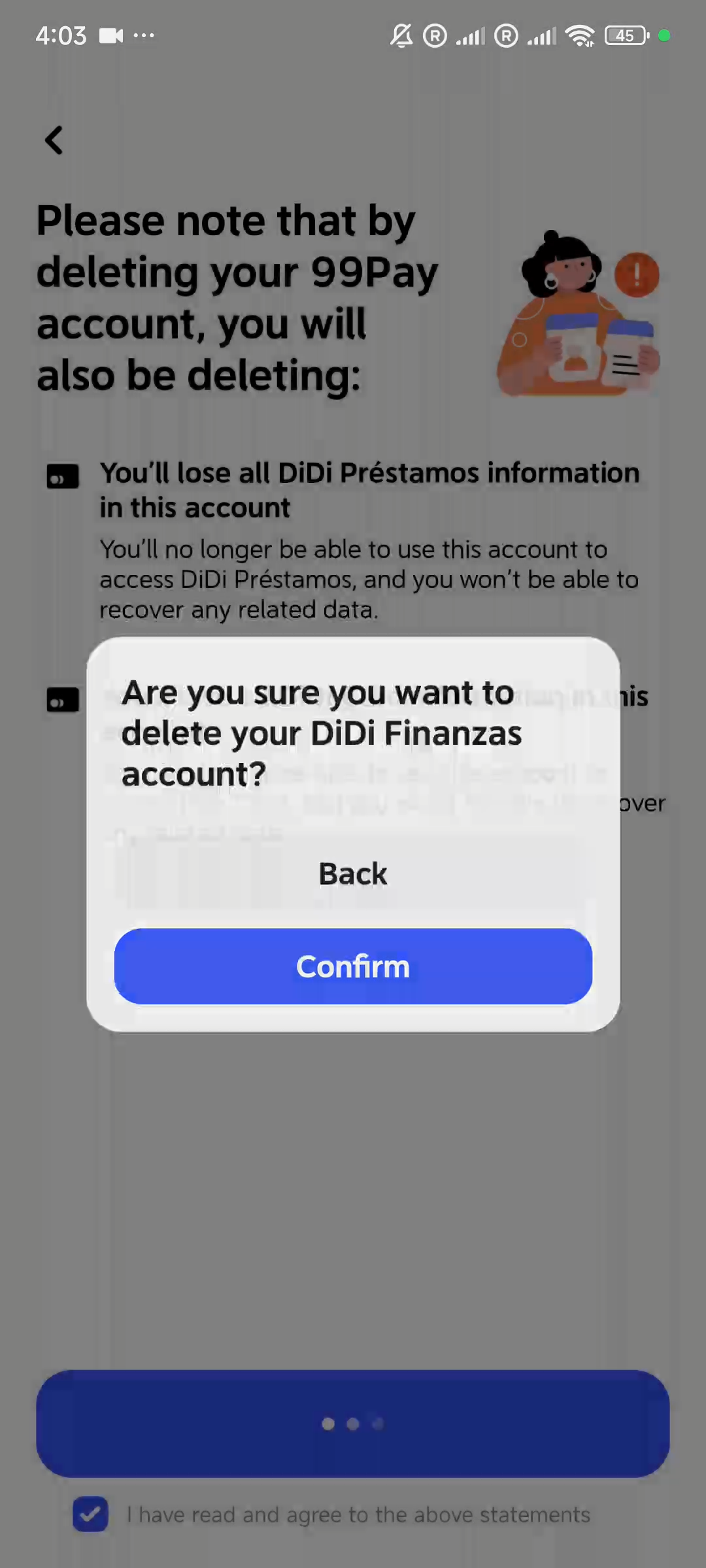
118s - 122s f38e- Delete Financial Account 页面:"Please note that by deleting your 99Pay account, you will also be deleting:"
- 警告条目1:"You'll lose all DiDi Préstamos information in this account"
- 警告条目2:"You'll lose all DiDi Card information in this account"
- 底部勾选框:"I have read and agree to the above statements" + 蓝色 "Confirm" 按钮
- 二次确认弹窗:"Are you sure you want to delete your DiDi Finanzas account?" — Back / Confirm
- 注意:页面显示"99Pay account",弹窗显示"DiDi Finanzas account",品牌名称混用
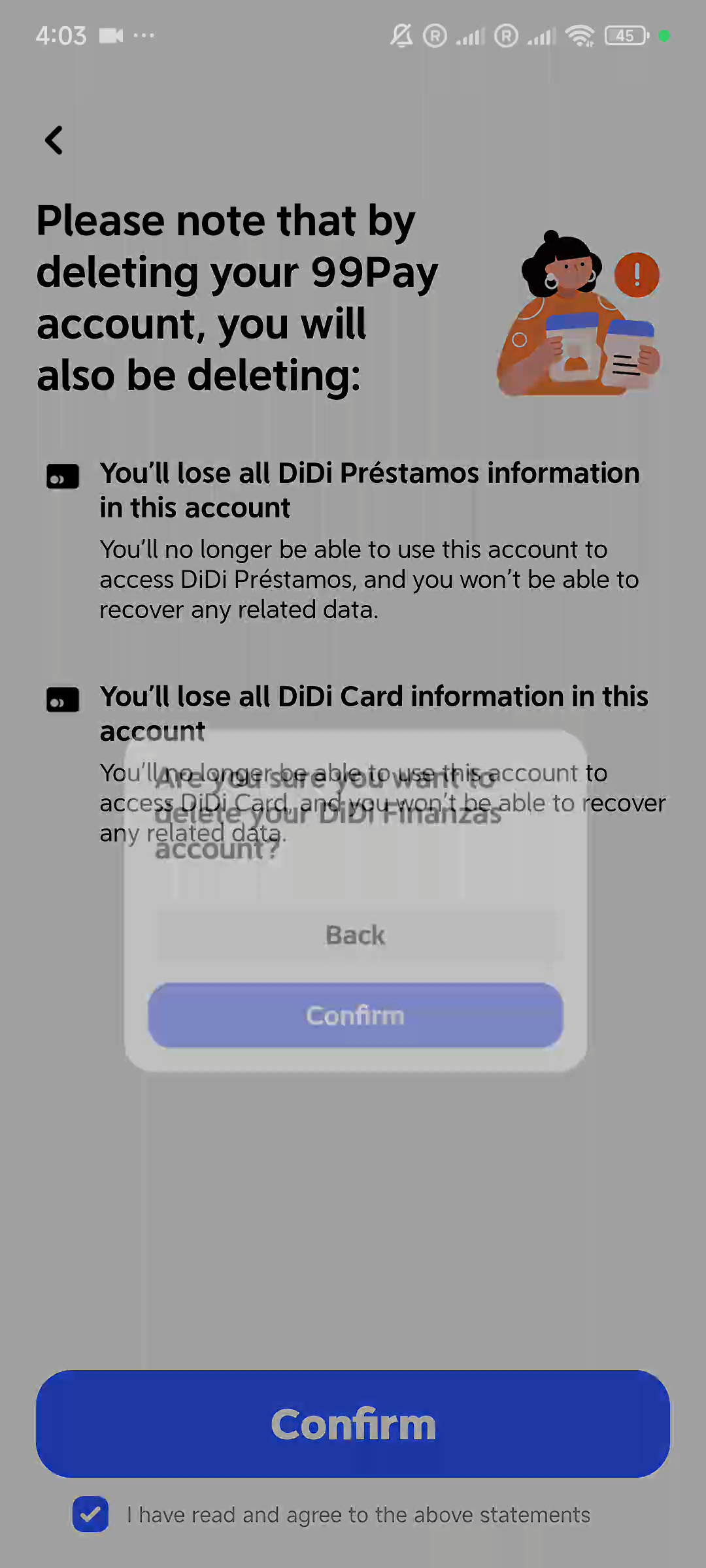
07 · 118s · 注销警告
08 · 122s · 二次确认
5. 注销验证码 & Phone Call 备选
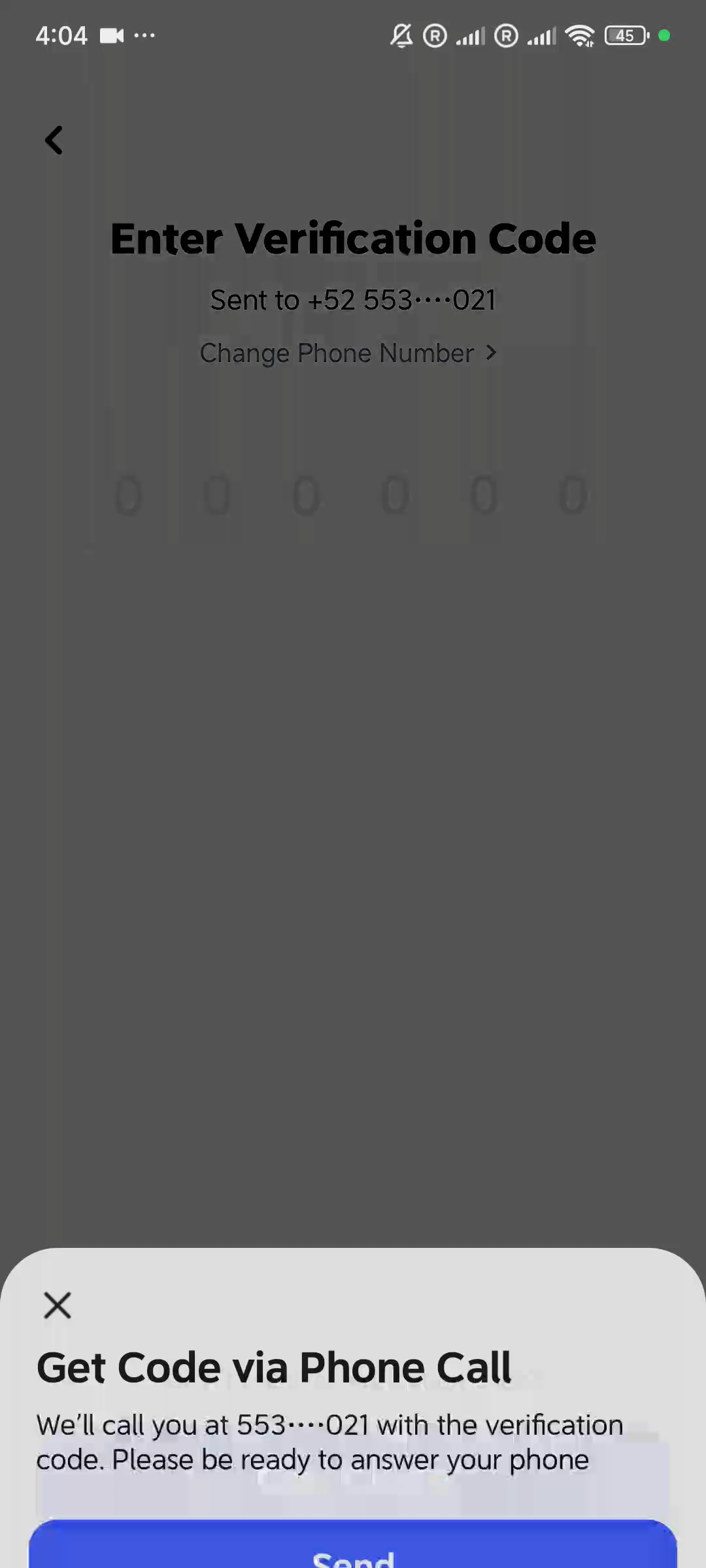
134s - 165s f38e- Enter Verification Code 页面:Sent to +52 553····021 + "Change Phone Number >" 链接
- 6位OTP验证码输入框 + "Didn't receive verification code?" + "Get Code" 按钮
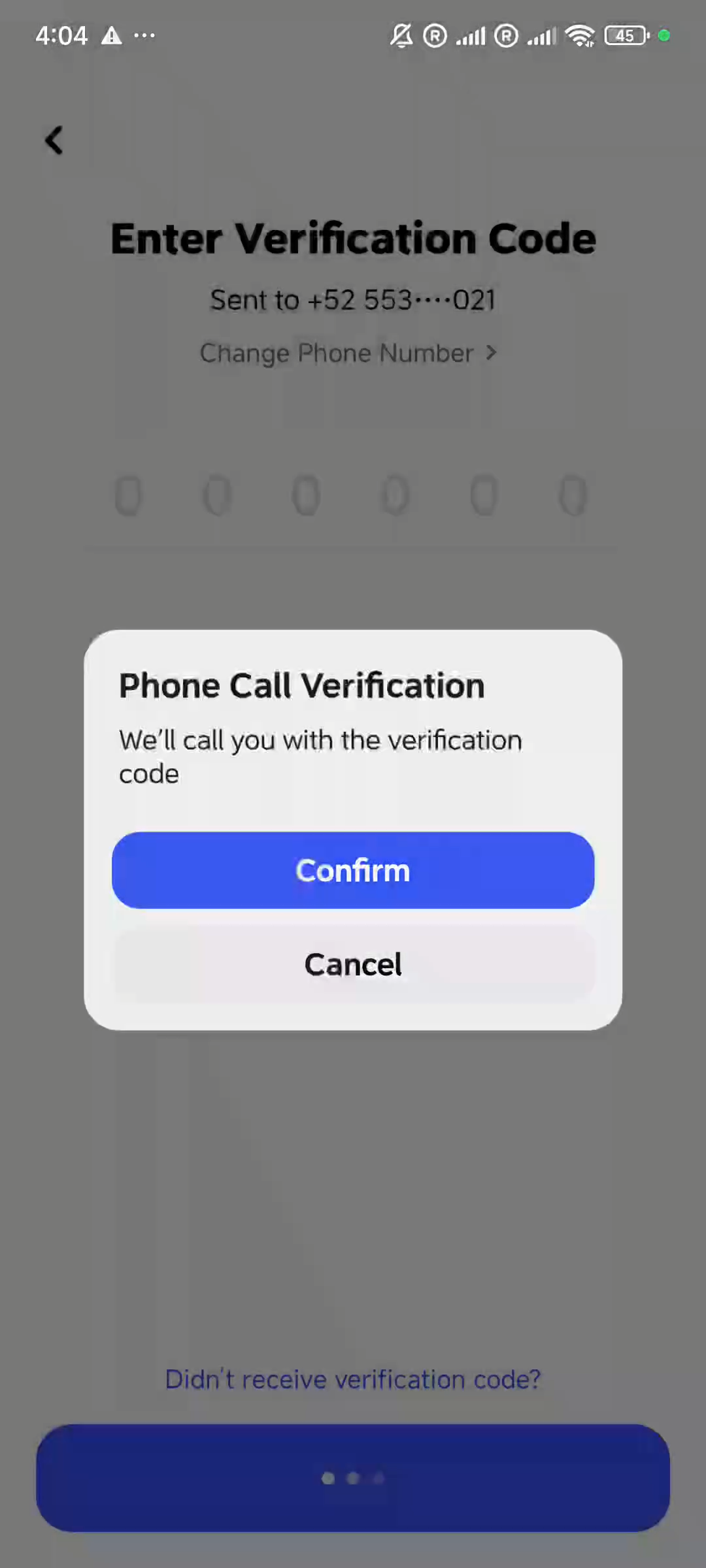
- Phone Call Verification 弹窗:"We'll call you with the verification code" — Confirm / Cancel
09 · 134s · 注销OTP
10 · 165s · Phone Call

11 · 注销成功
账户管理 竞品分析要点
- 注销流程严格:警告页(列出所有将丢失的数据) → 勾选同意 → 二次确认弹窗 → OTP验证码 → 完成
- 品牌名称混用:页面写 "99Pay account",弹窗写 "DiDi Finanzas account",暴露白标/多品牌架构
- OTP验证支持双通道:SMS短信 + Phone Call 电话语音验证码
- 退出登录流程简洁:Settings → Sign Out → 确认弹窗(Confirm/Cancel)
- 重新登录采用 SMS OTP,手机号脱敏显示(553****021),支持 "Use Another Mobile Number"
- 验证码页面提供 "Change Phone Number" 链接 + "Didn't receive verification code?" 备选方案
- Account Management 三大功能:换号 / 注销 / 生物识别管理,覆盖账户安全全场景